Shooting for AI relighting: Best practices
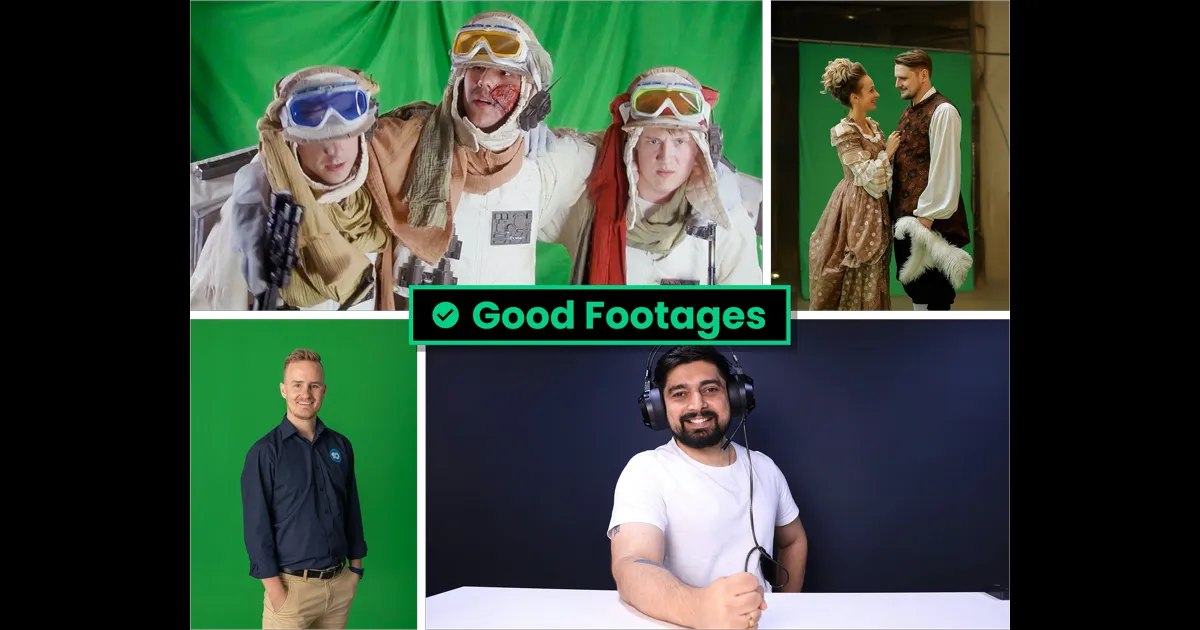
Good versus bad footage for AI relighting
AI relighting opens up powerful possibilities in post-production. With tools like Beeble, cinematographers and VFX teams can adjust lighting, generate VFX passes such as depth and normals, and integrate footage into new environments without reshooting.
However, the quality of AI relighting is highly dependent on the quality and structure of the original footage. Even though our AI models generate VFX passes from your footage, we don't invent missing visual information. Our model interprets and reconstructs lighting based on what is present in the frame.
This guide outlines the practical on-set considerations that help ensure footage works optimally with AI relighting workflows.
Why input footage matters
Our AI model generates VFX passes such as depth maps, normal maps, and lighting layers directly from your footage. These passes rely on visible visual cues like texture, edges, lighting gradients, and color information.
If those signals are missing or degraded, the generated passes will be less accurate, limiting how convincingly lighting can be changed later.
For this reason, capturing clean, well-lit, well-exposed footage with clear subject separation is essential.
Good vs bad footage for AI relighting
Good footage
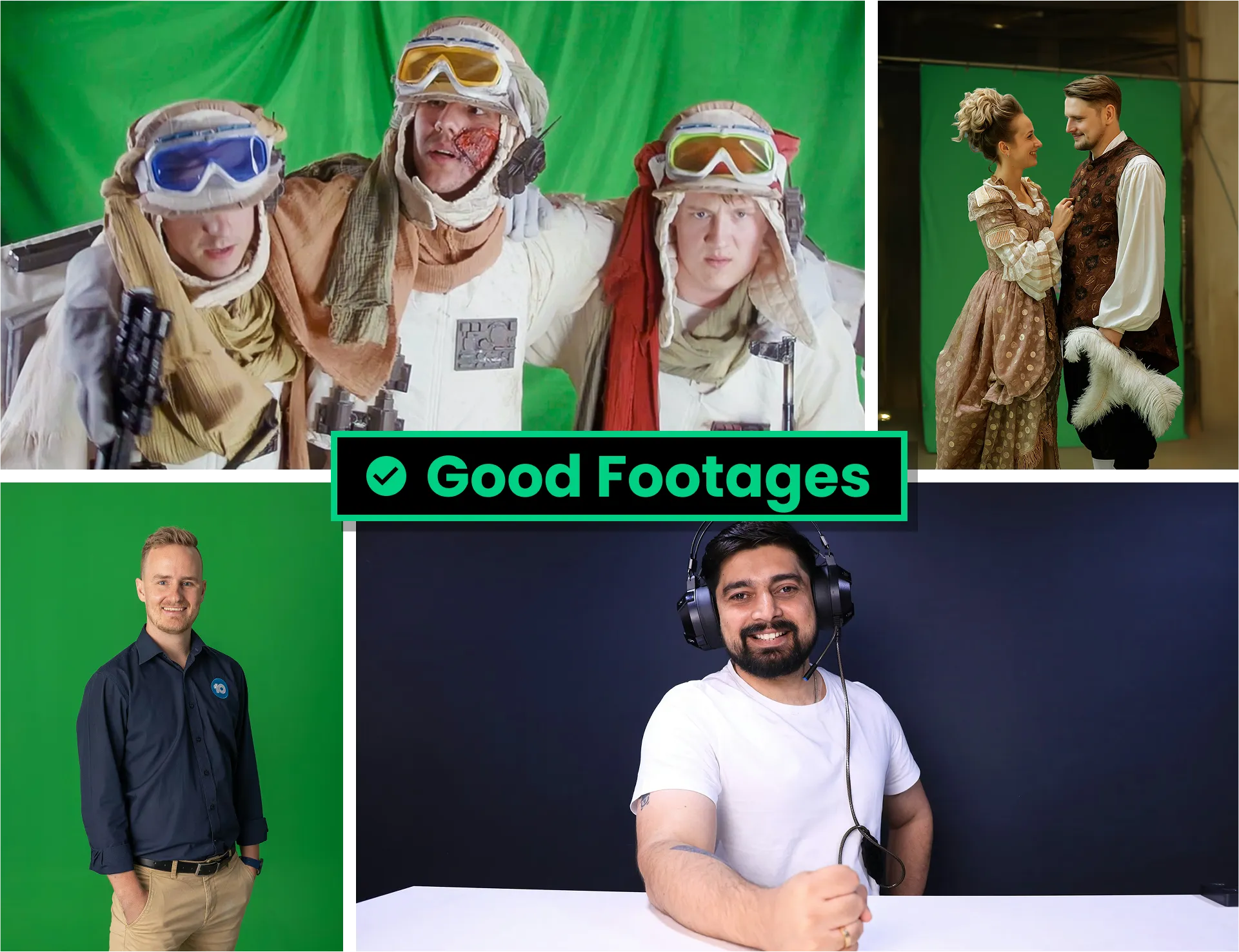
Footage that works well with AI relighting typically shares several characteristics:
- Clear subjects. The subject should be easily identifiable — people, objects, or characters clearly visible in the frame.
- Strong subject separation. A clean distinction between the subject and the background helps the system understand scene structure and depth.
- High image quality. Sharp focus, sufficient bitrate, and detailed visuals allow the AI to generate accurate VFX passes.
- Soft and even lighting. Balanced lighting avoids harsh shadows or blown highlights, preserving detail across the image.
- Correct exposure and white balance. Maintaining natural color values and avoiding clipped highlights ensures lighting adjustments remain flexible in post.
Bad footage
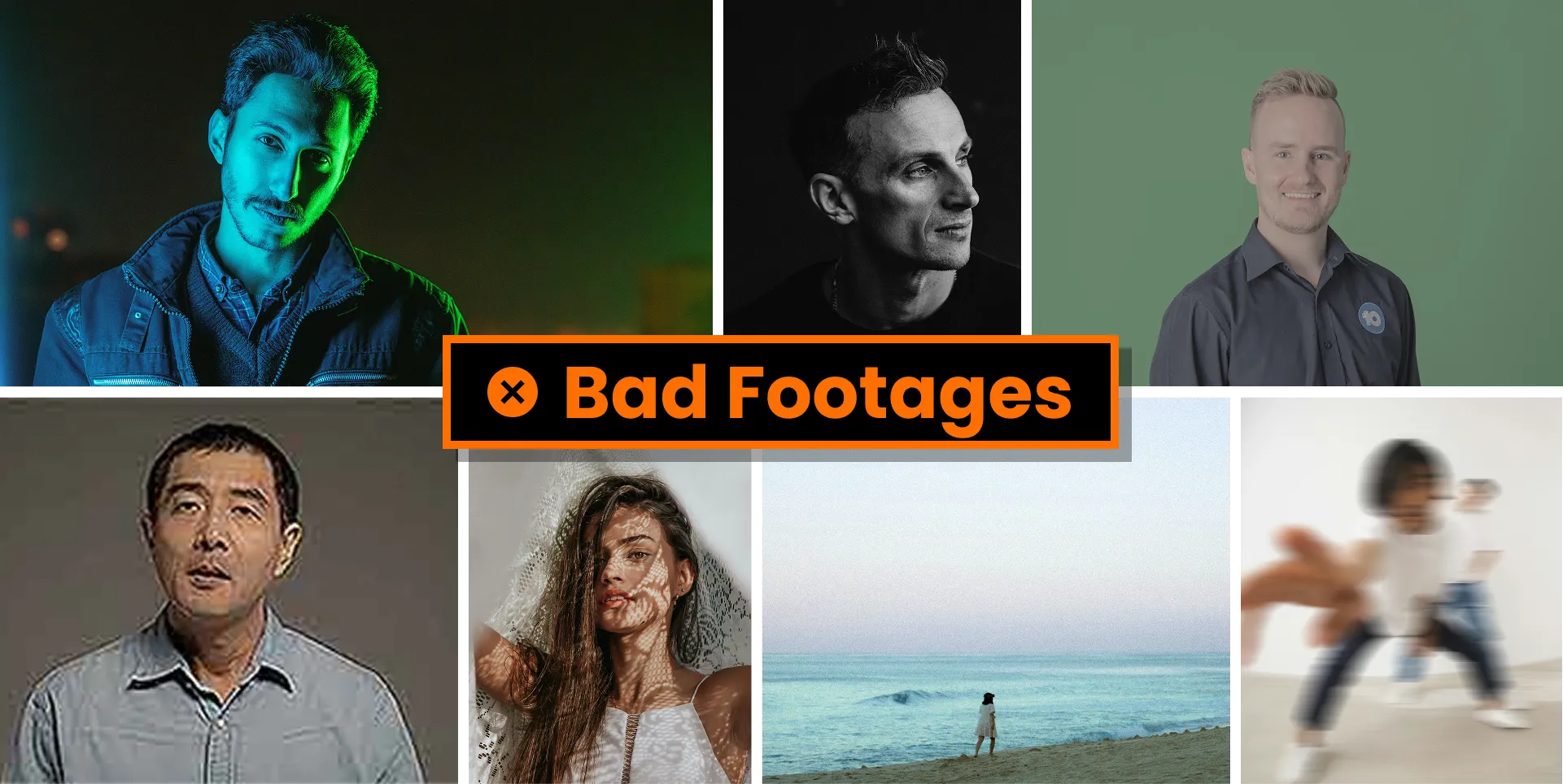
Certain types of footage make relighting significantly harder. Avoid:
- Footage without a clear subject. If the subject is too small or unclear, the model cannot reliably reconstruct lighting or geometry.
- Low-quality footage. Heavy compression, blur, noise, or out-of-focus images reduce the detail needed for VFX pass generation.
- Incorrect exposure. Overexposed or underexposed footage destroys lighting information that the model needs to reconstruct illumination.
- Non-standard color spaces. Footage captured in Log or non-standard color spaces can degrade results if not converted properly.
- Excessive camera movement. Shaky or unstable footage makes it harder to maintain consistent spatial understanding across frames.
On-set tips for AI-ready footage
1. Preserve lighting detail
AI relighting relies on subtle lighting information. Avoid extreme contrast or heavy shadow clipping that removes surface detail.
When possible, use soft lighting setups that maintain gradation across the subject.
2. Maintain subject isolation
Relighting works best when the system can clearly identify the subject.
Good practices include:
- Green screen or controlled backgrounds.
- Avoiding overlapping foreground elements.
- Ensuring the subject occupies a meaningful portion of the frame.
3. Capture stable footage
Excessive handheld movement can introduce inconsistencies across frames.
For best results:
- Use tripods or stabilized rigs.
- Avoid sudden camera motion.
- Maintain consistent framing when possible.
Preparing footage for AI relighting
Before processing footage:
- Confirm correct color space (Rec.709 / sRGB).
- Check exposure and white balance.
- Ensure the subject is clear and in focus.
- Stabilize footage if necessary.
- Verify file size, resolution, and frame limits.
Taking these steps ensures the AI has the visual information it needs to generate accurate relighting and VFX passes.
Once your footage is ready, generate VFX passes and relight it in 3D Relight — Beeble's browser-based relighting editor.