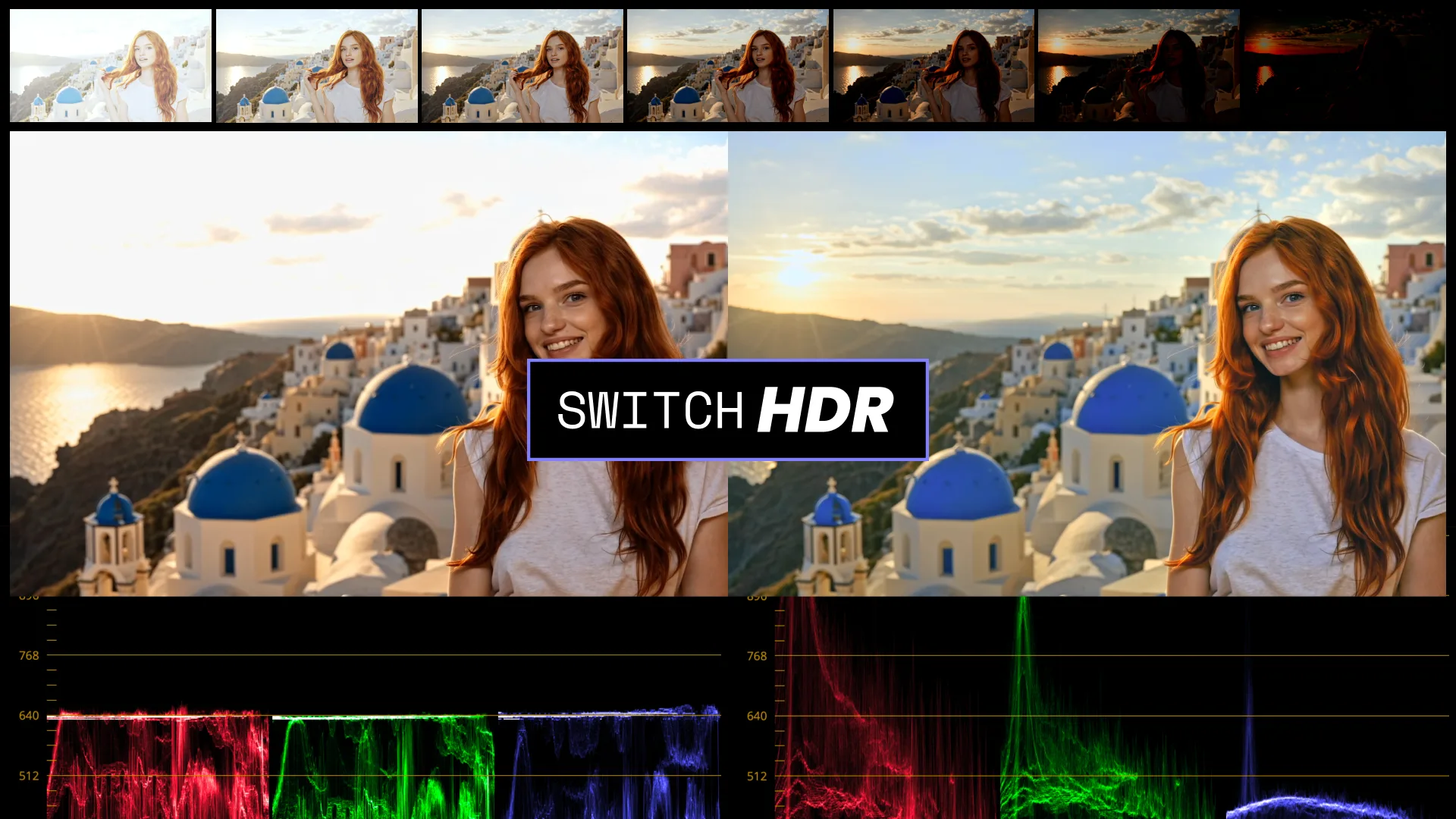
Introducing SwitchHDR
True HDR recovery from ordinary footage
SwitchHDR is our own frontier model for true HDR recovery. It rebuilds 16-bit scene radiance from ordinary 8-bit SDR footage. Trained on real HDR, temporally consistent, and controllable by region and prompt.
Recovering true 16-bit from 8-bit SDR
Conventional SDR footage captures only a portion of the scene's dynamic range. Highlights clip to pure white. Shadows collapse into sensor noise. Once that detail is lost, it's no longer represented in the SDR signal.
A blown-out region could have been many different things: the sun, a window, a bright sky. There is no single correct answer hiding in the pixels. Conventional tools can only stretch what remains, and 8-bit precision leaves no room for it: stretching exposes banding, flattens highlights, and amplifies noise.
SwitchHDR reconstructs it. Instead of stretching the existing signal, the model infers the high-dynamic-range scene the footage came from. It rebuilds clipped highlight detail, recovers clean structure from noisy shadows, and outputs a true 16-bit result in a scene-linear, professional container.
It's a recovery model, not a generator. The performance, the framing, and everything the camera actually captured stay intact. SwitchHDR only restores the range the SDR signal never carried.
Recovery, grounded in real light
SwitchHDR was trained on real high-dynamic-range footage, not synthetic exposures or tone-mapped approximations. It learns how light actually behaves across the full dynamic range: how a highlight rolls off, how much energy a light source really carries, how shadow detail sits above the noise floor. Its recovery is physically plausible, not a stylized guess.
01 · Analyze the 8-bit SDR signal
The model identifies where the footage has clipped in the highlights and where shadow detail has collapsed into noise. It does this consistently across the whole sequence, so recovery regions stay stable from frame to frame.
02 · Reconstruct the scene radiance
Highlight detail is rebuilt and shadow noise is suppressed, guided by what the model learned from real HDR footage. Because SwitchHDR processes the sequence as a whole, moving highlights stay coherent across frames. No shimmer, no flicker, no ghosting.
03 · Respect your direction
Luminance-threshold masks and text prompts steer the recovery. Outside the mask, the original is preserved pixel for pixel. Inside, the model reconstructs with more latitude toward your stated intent. Highlights and shadows can be directed independently, because a blown sky and a crushed interior rarely want the same treatment.
04 · Output in a professional container
Results are written as a 16-bit EXR sequence in scene-linear ACES AP0 (ACES2065-1). Because the output is true scene radiance, you can push exposure several stops in either direction in the grade and the image holds. Highlights reveal structure instead of going gray. Shadows open up instead of dissolving into noise.
The only HDR recovery you can direct
Recovering clipped regions is fundamentally a one-to-many problem. The same white pixels could resolve into a dozen plausible scenes. Every other approach picks one for you: a single automatic output you're asked to accept. SwitchHDR takes direction at the model level, by region and by intent.
Region · luminance masks
Define shadow and highlight regions with a luminance threshold. Outside the mask, SwitchHDR stays faithful to the source, pixel for pixel. Inside, it reconstructs lost detail with more latitude, so recovery happens only where you want it.
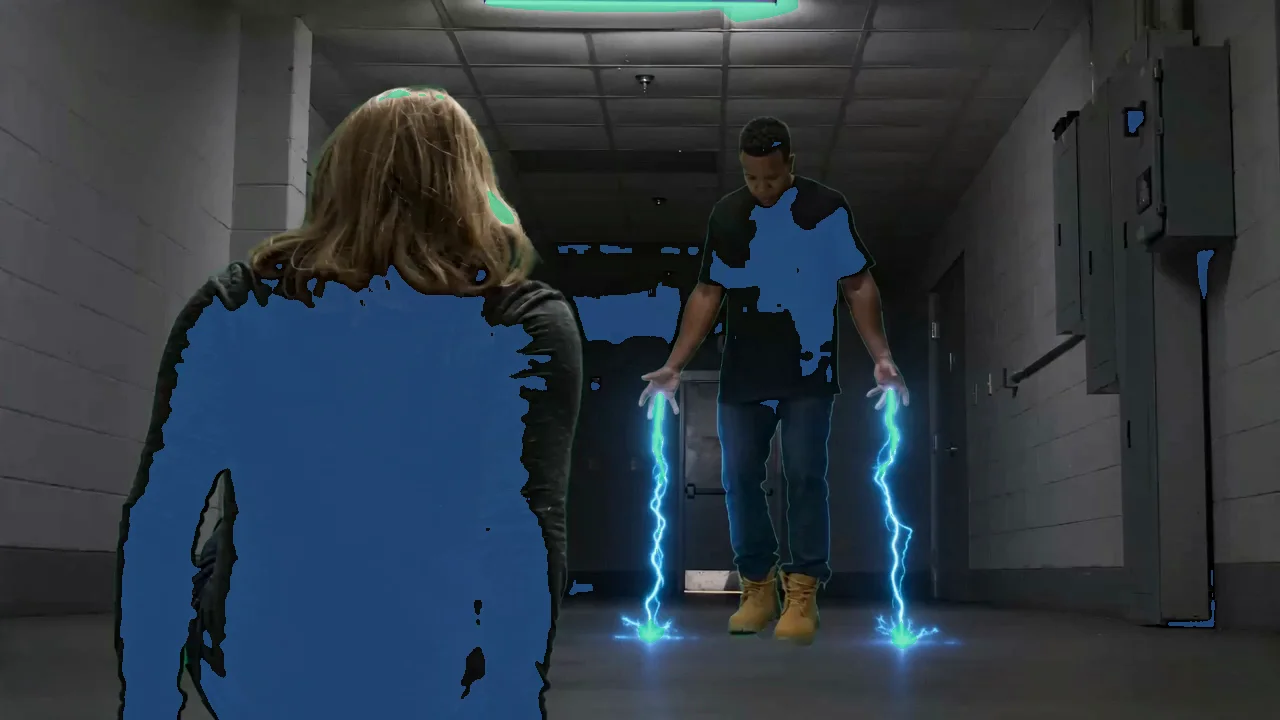
Intent · per-region prompts
Tell the model what should fill each recovered region, with separate prompts for highlights and shadows. Highlights: sunset sky breaking through clouds. Shadows: weathered wooden texture. The reconstruction follows your shot's intent instead of the model's default guess, and the guidance lands only where it belongs.
Same shot, different intent. Pick a prompt to re-recover the sky
See the difference
The clearest evidence is visual: the same SDR source, recovered. Drag each slider to compare the original against the HDR result. Since browsers can't display true HDR, every result below is the 16-bit HDR EXR graded to SDR in DaVinci Resolve for web playback.
Put SwitchHDR to work
Recover true HDR from your own footage: controlled, frame-accurate, temporally stable, and ready for your pipeline. See SwitchHDR at work inside the SDR to HDR tool. Try it for yourself!