
HOURS TO SECONDS
A shot that costs a roto artist hours of spline work comes back as a finished matte in seconds.
BACKGROUND REMOVER
Stop tracing splines frame by frame. AI pulls the matte across the whole shot,
you take over only where it counts, and the export drops straight into your comp.
01/ MANUAL ROTO VS AI
A shot that costs a roto artist hours of spline work comes back as a finished matte in seconds.
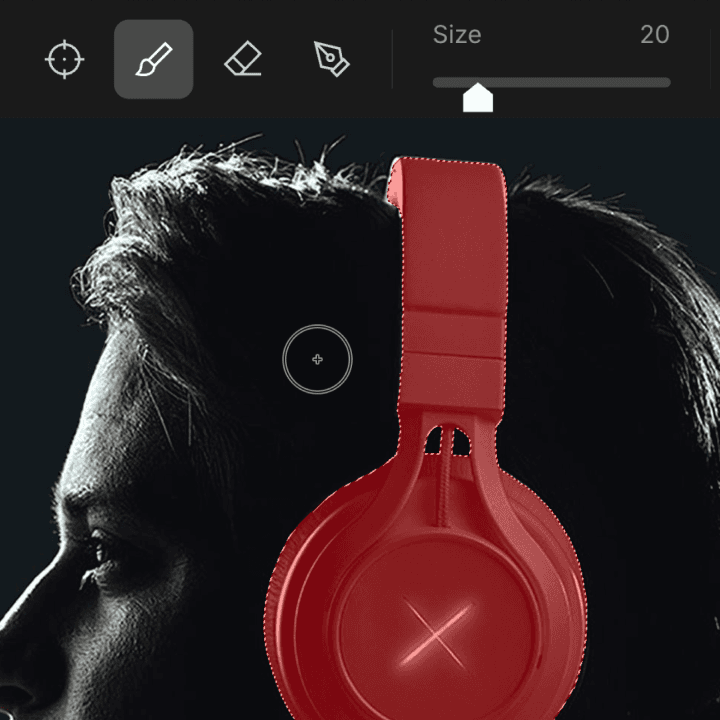
No pro trusts 100% auto. When the AI misreads a frame, step into Edit Alpha and mask it by hand.
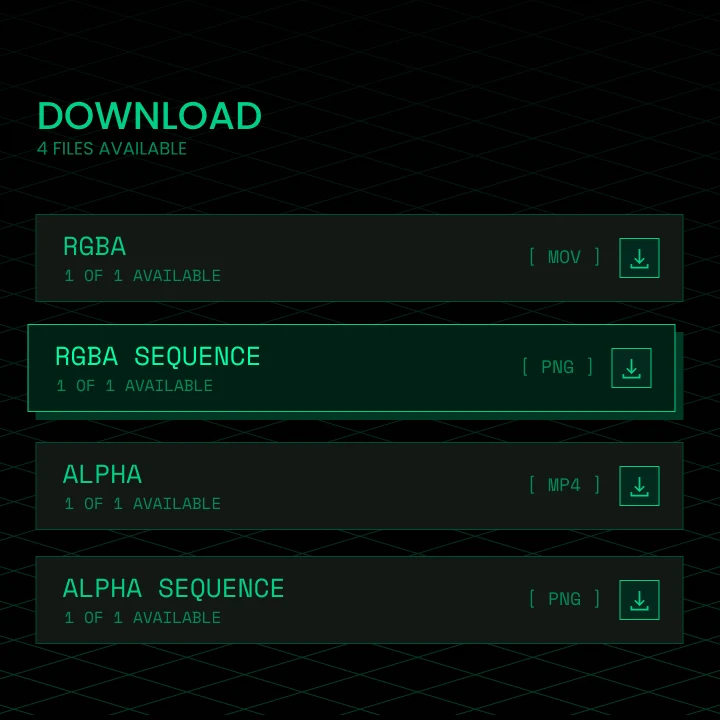
Grayscale mattes, 10-bit RGBA MOV, or PNG sequences, ready for Nuke, After Effects, and DaVinci Resolve.
The default model for general footage. Tracks your subject and carries the matte across every frame, hair and motion blur included. Read the Background Remover launch post.
EXPLORE MATANYONE 2 →Shot on green? Purpose-built for green-screen keying with spill removal, for when the job is a key, not roto. Read the CorridorKey launch post.
EXPLORE CORRIDORKEY →02/ HOW IT WORKS
Drop in a video, an image sequence, or a single frame. MP4, MOV ProRes, PNG, and JPG are all supported.
The server extracts a keyframe with a rough alpha. Fix what the AI got wrong in Edit Alpha before you commit GPU time to the full run.
Cloud GPUs propagate the matte across the whole shot, holding onto hair, motion blur, and partial occlusions.
Download a grayscale matte, an alpha-embedded 10-bit RGBA MOV, or PNG sequences, and import them like any other footage.
Open Background Remover in your browser,
upload a shot, and preview the matte before you run.