PLACE THE SOURCE
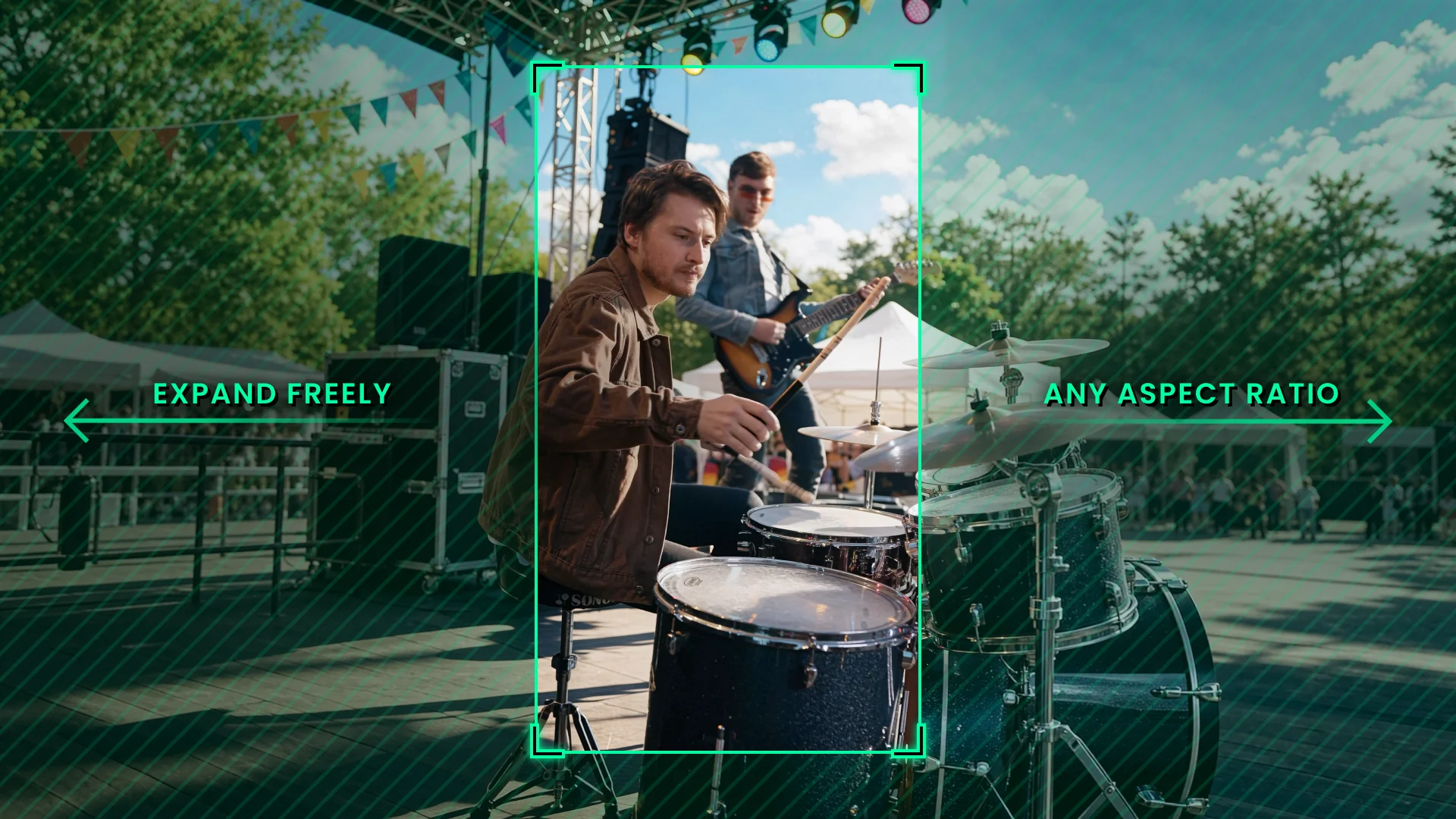
Put your footage anywhere in the new frame. Leave room on one side or center it and let the scene grow around it.
REFRAME
Reframe any image or video into a new aspect ratio.
The original stays intact, frame for frame, while the scene grows around it.
01/ FORMATS
Turn horizontal footage vertical, take a vertical shot to ultrawide, or fit a custom screen.
Pick a preset or type your own width-to-height ratio. The scene expands to fill it.
02/ CONTROL
Your source stays completely intact: performance, camera move, and frame count.
You decide where it sits in the new frame and what fills the rest.
Put your footage anywhere in the new frame. Leave room on one side or center it and let the scene grow around it.
Scale the source down to reveal more of the scene. The original pixels stay the original pixels.
Crop the source before expanding to tighten the composition or drop what you never wanted in frame.
A reference image guides the environment, lighting, and layout of the expanded area. Generate one with Auto Fill or upload your own.
03/ EXAMPLES
Drag the divider to compare each source with its reframed result.
The source keeps its position and scale. Black marks the area beyond the original frame.
04/ OUTPUT
From sub-second inserts to 20-second takes, every clip keeps its length and timing.
Output goes up to 4K with 10-bit color, ready for the edit and the grade.
20s
Up to 480 frames per run. Sub-second clips are supported, too.
4K
Choose 720p, 1080p, or 2160p. 2160p runs on the Professional plan.
10-bit
Tonal precision that holds up through further color work.
IMAGE AND VIDEO INPUTORIGINAL FRAME COUNT PRESERVED720P · 1080P · 2160PSTANDALONE OR AS A CANVAS NODE
{ THE MODEL BEHIND IT }

Our own video outpainting model, developed in-house.
Not an API wrapper, not a filter.
The original stays intact, frame for frame, as the scene grows.
Live now, standalone and as a Reframe node in Canvas.
Credits only for what you generate.