Hearts2Hearts: Combining AI, 3D, and compositing for a K-pop music video
"I paid close attention to how light fell on the performers and surrounding objects, and how the color connected with the new environment. I wanted the boundary between the live-action photography and the generated space to be as difficult to perceive as possible."
EAN is a VFX artist working across music videos and brand films. With a background in Cinema 4D-based 3D and compositing, EAN has recently explored how generative AI can fit naturally into existing VFX pipelines alongside live-action footage and established production techniques.
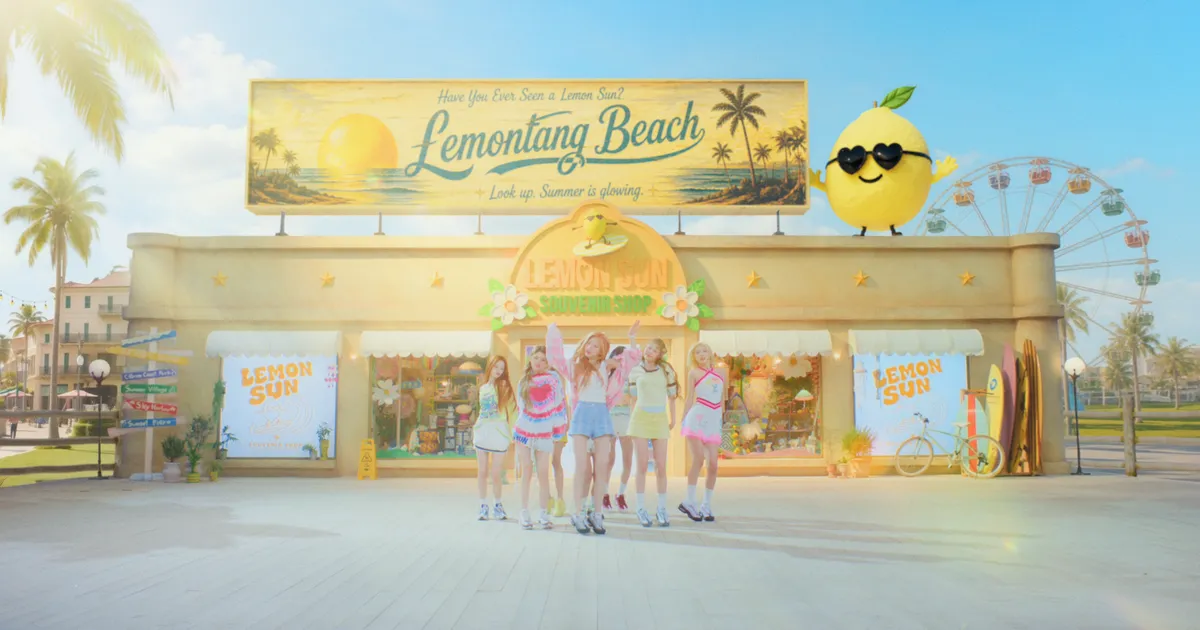
For Hearts2Hearts’ “Lemon Tang” music video, EAN handled AI VFX, 3D production and compositing. The project combined practical blue-screen photography with generated environments and purpose-built 3D elements, choosing different techniques based on each shot’s needs.
SwitchX was used for shots where the performers needed to remain intact while the environment around them changed. Canvas helped organize iterations, masks, and generated elements before the shots moved into final compositing.
What was your role on the Hearts2Hearts project?
The project was Hearts2Hearts’ “Lemon Tang,” and I was responsible for AI VFX, 3D production, and compositing.
Starting with the original footage, I created the spaces and objects we needed. For some scenes, I built the image in 3D. Where AI was effective, I actively used Beeble AI’s SwitchX to extend the original blue-screen footage into new environments. At the end, I composited the generated AI material, 3D results, and original footage back together, then refined the color and details. So rather than a video completed with AI alone, this project followed a VFX workflow that combined 3D, AI, and compositing differently depending on the scene.
What was the visual concept for the video?
As the project name “Lemon Tang” suggests, the video needed to feel fresh and bright throughout. We needed to create a natural resort atmosphere through the environments, color, object design, and materials. Overall, the aim was to extend a fantasy world from realistic live-action photography while maintaining the bright, polished visual style associated with K-pop music videos.
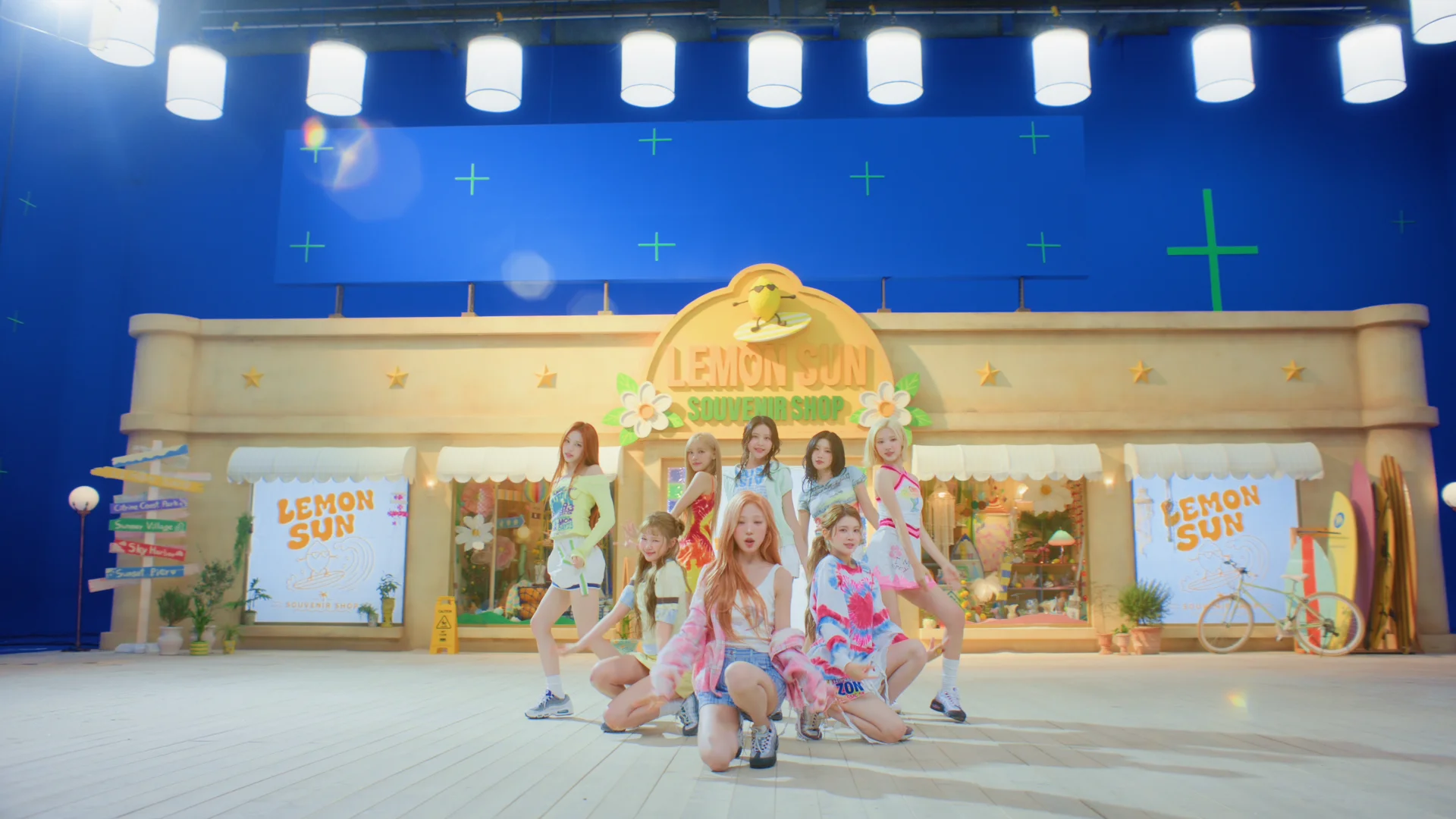 Blue-screen plate
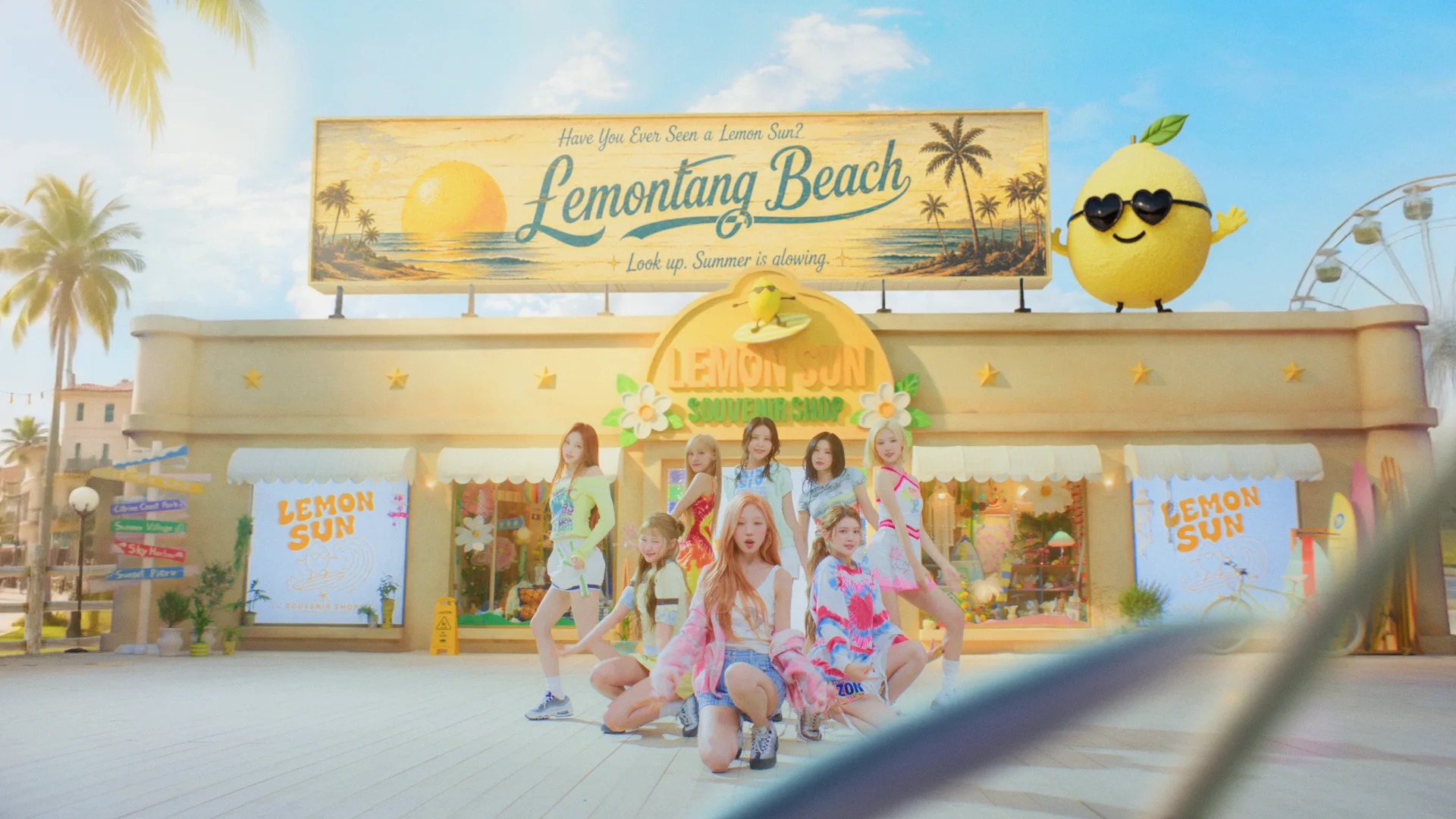 Final shot
How did the workflow develop from production through post?
Before the shoot, we created references for the overall concept and the spaces we needed, and established the visual direction.
Then, for each shot, we separated what needed to remain from the original photography from the areas we could transform or recreate with AI. Once we received the footage, I first analyzed the performers’ movement and camera movement, then created reference frames close to the final image I wanted.
From there, I used AI to change the background or the environment's shape. Where necessary, I recombined several results or supplemented them with 3D and conventional VFX techniques. For scenes where we needed to keep the filmed performers while significantly changing the surrounding environment, I used SwitchX.
The final stage followed a conventional VFX process, with masking, compositing, color matching, and detail work to make the shots connect naturally across the sequence. I approached AI less as a replacement for the whole pipeline and more as another production method added within the existing VFX process.
Personally, I think it is important to choose the production method and tech that best fits each shot.
Where did Beeble fit into the workflow, and why did you choose SwitchX and Canvas?
With general video generation models, even when I could create the visual I wanted, the original performer’s face, movement, or silhouette often changed slightly. In a music video, maintaining the artist’s performance and identity is very important, so I needed a tool that gave me control over that.
What was particularly useful about SwitchX was being able to approach the parts of the original video that needed to remain and the parts that needed to change separately. It suited this project because I could preserve the performer’s movement and form as much as possible while changing the surrounding space, lighting, and atmosphere.
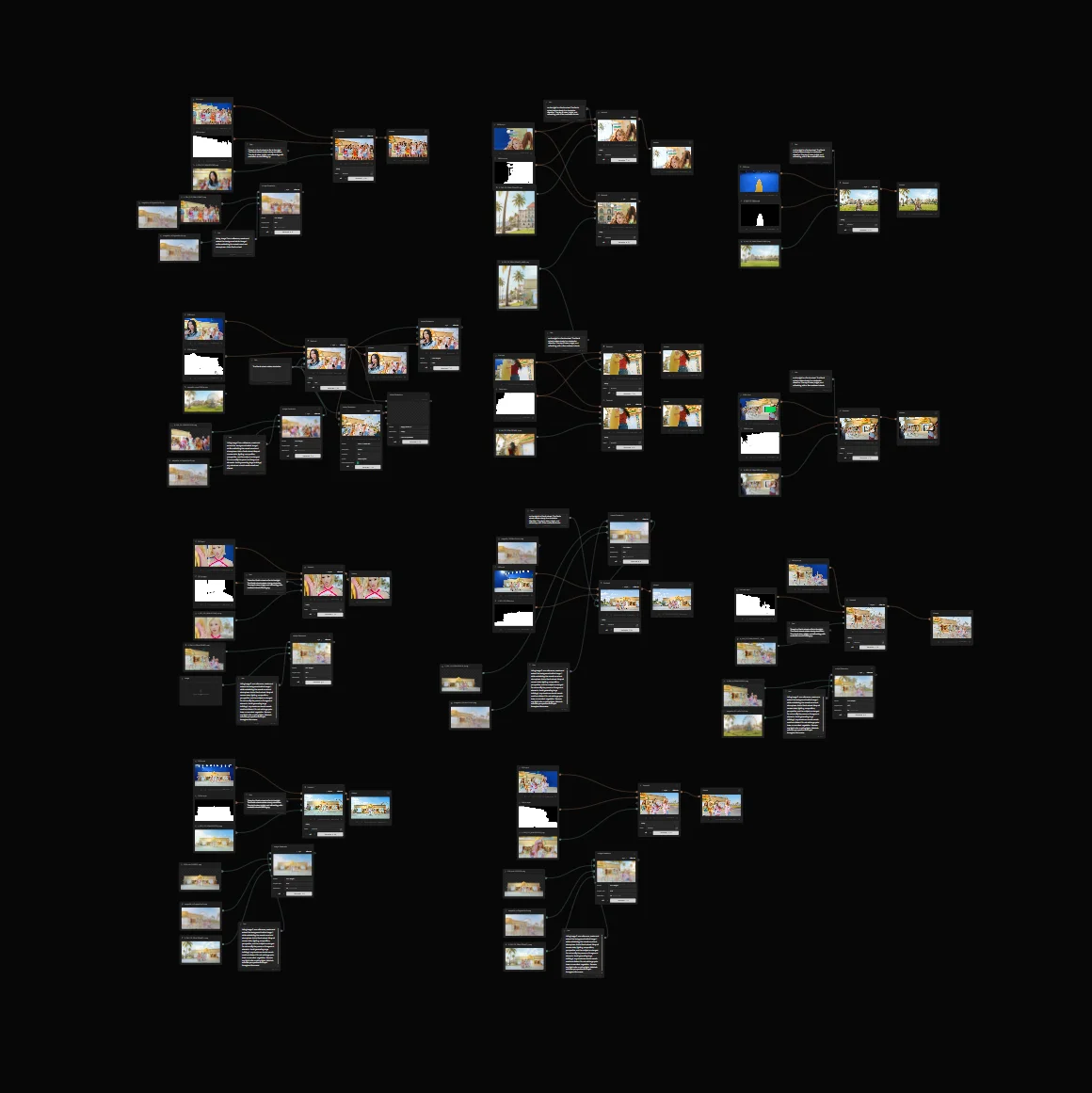
I used Canvas because it enabled me to connect these processes in a single node-based workflow. AI work rarely ends with a single generation. You keep adjusting masks, trying different references, and compositing the results again. Being able to organize that process visually was useful.
What was important in making the performers and new environments feel like part of the same shot?
The most important thing in those shots was not simply making the background more elaborate. The performer and the new space needed to look as though they had been photographed together from the beginning.
I paid close attention to how light fell on the performers and surrounding objects, and how the color connected with the new environment. I wanted the boundary between the live-action photography and the generated space to be as difficult to perceive as possible.
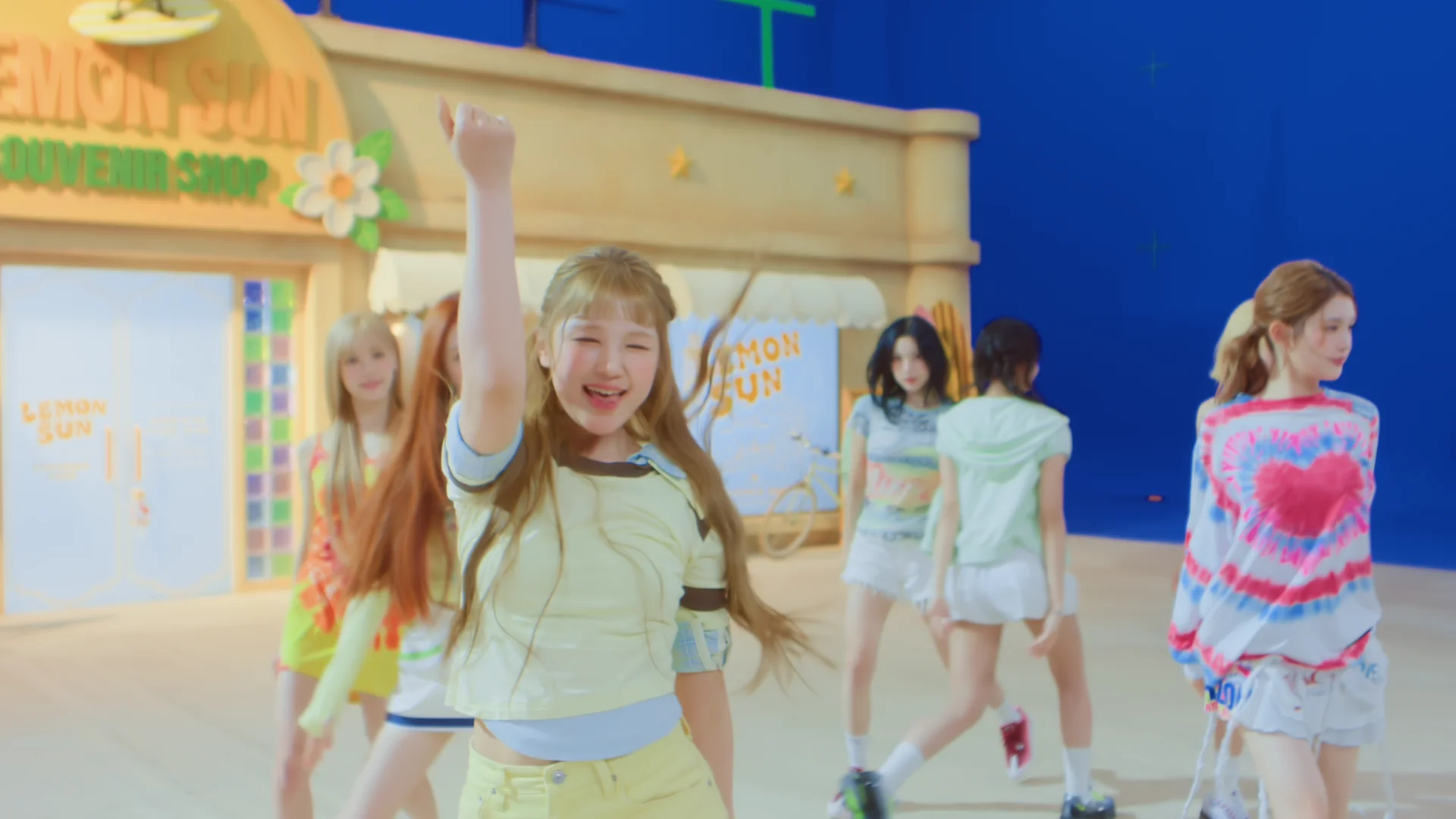 Blue-screen plate
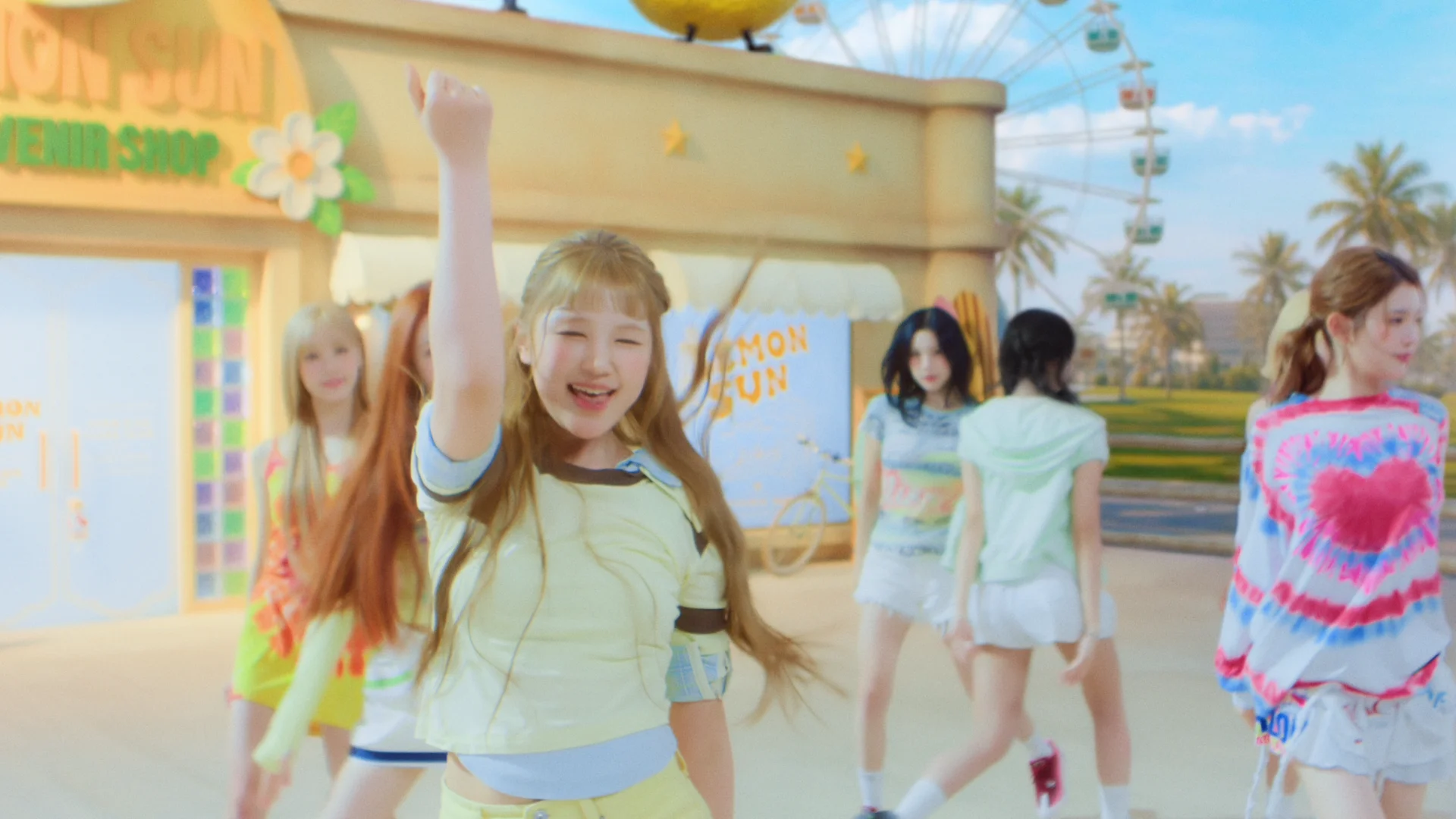 Final shot
Can you take us through one shot, from the original footage to the finished result?
First, I defined the area containing the performer that absolutely needed to be preserved. Then I created a reference image for the space I ultimately wanted to make.
Before generating video, I prefer to establish the direction as specifically as possible using a single frame first. I repeatedly adjust the background structure, color, and lighting direction in the still image. Once those things are reasonably resolved, I can move into video with much more stable control over the result.
Using that reference, I changed the background and overall environment in SwitchX while retaining the performer’s movement. I then brought the result into Canvas, readjusted masks where needed, and combined it with other generated results to refine the details.
Finally, I returned to my existing compositing tools to refine the color, edges, and smaller details before completing the shot.
The key to this project was treating the AI result as a VFX pass rather than as the finished shot.
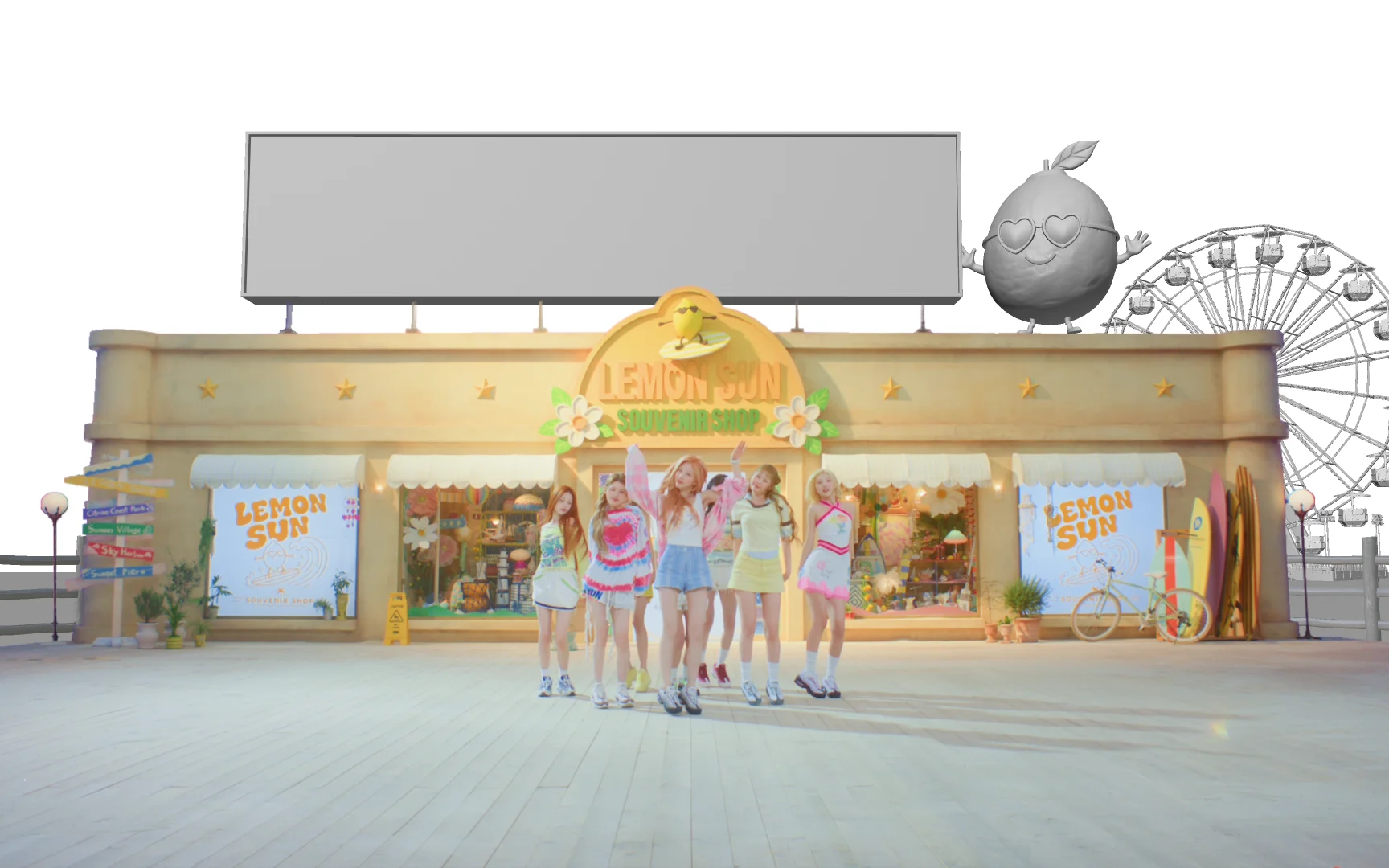 3D pass
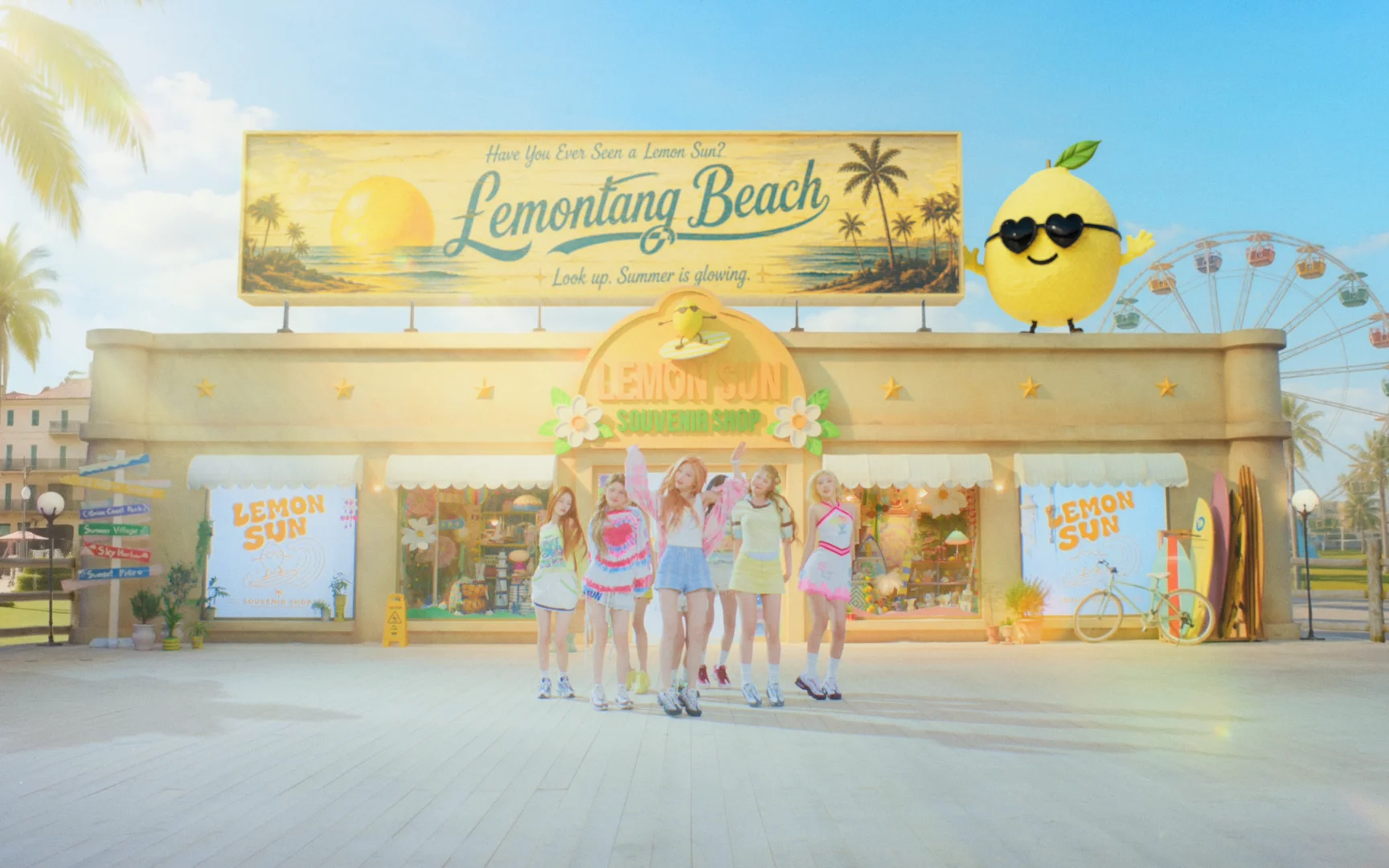 Final composite
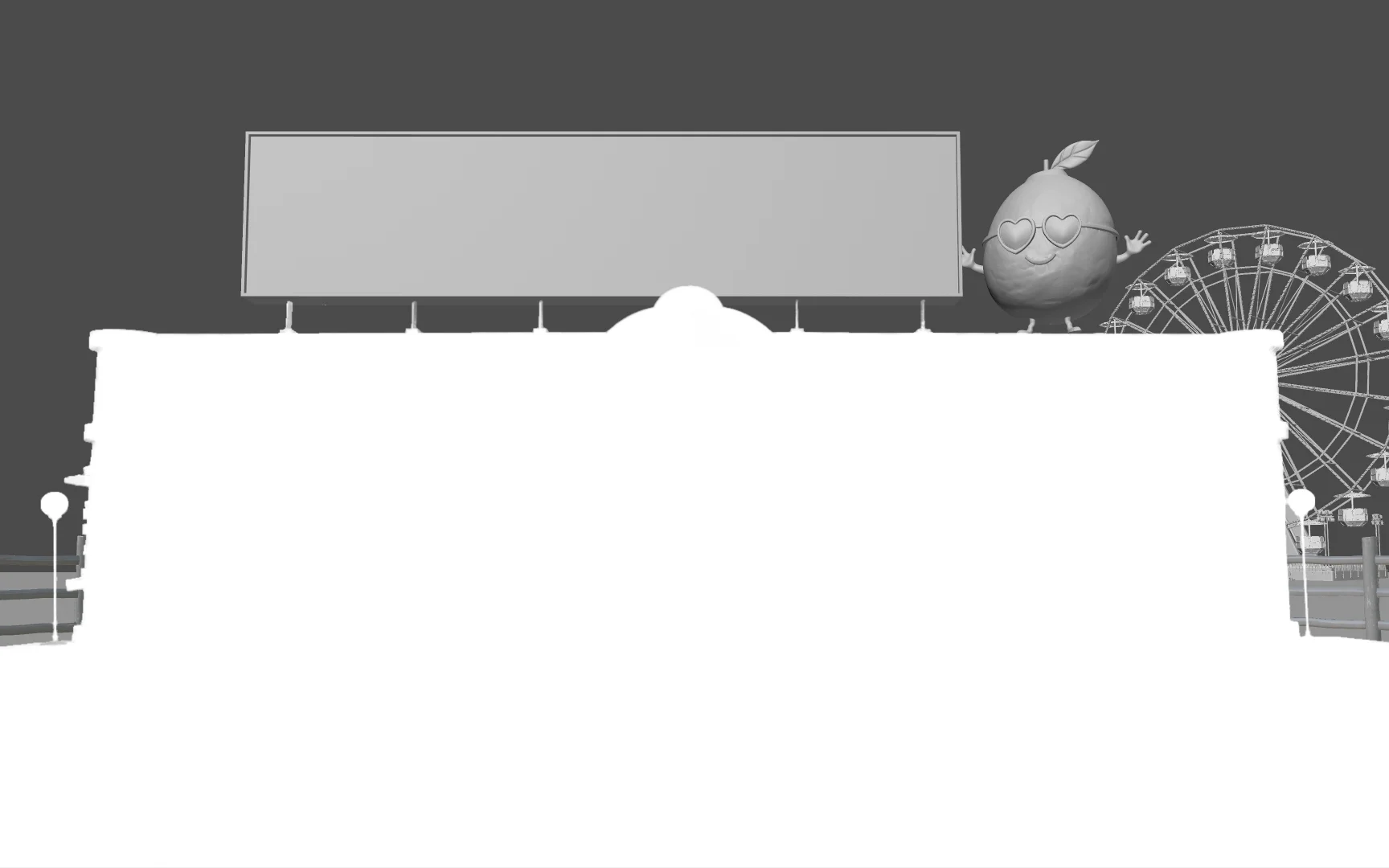 Mask
Mask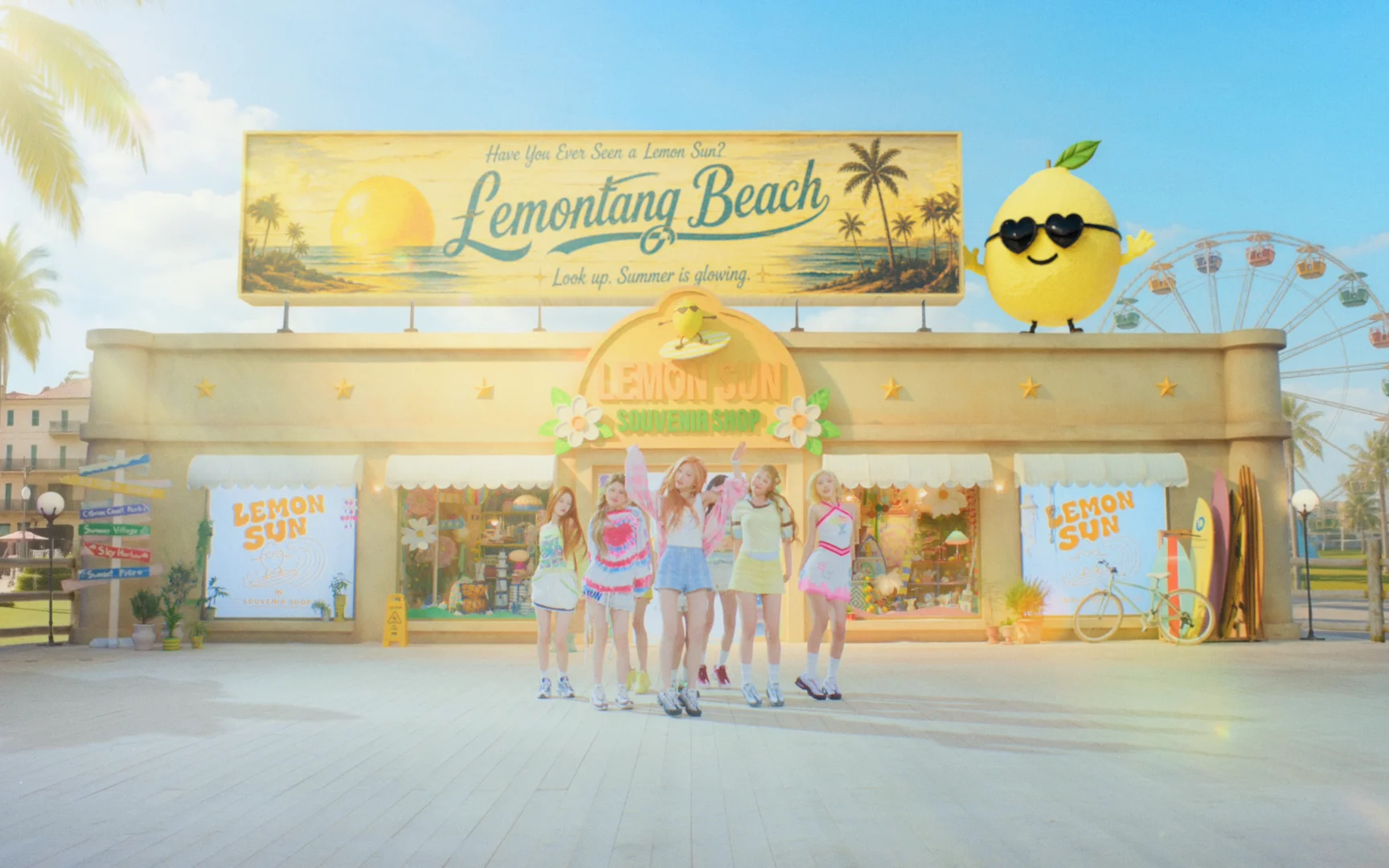 Final composite
What were the most difficult creative or technical problems?
The hardest part wasn't making a major change to an individual shot. It was keeping multiple shots in a scene consistent in tone, mood, and environment.
With AI, you can quickly create an interesting result for one shot, but making it feel like the same space when the camera angle or the performer’s position changes is another problem. If the background structure, object positions, materials, color, or lighting atmosphere change slightly from shot to shot, you notice the difference when they are edited together as one scene.
So I first defined the scene's overall visual reference and spatial structure as specifically as possible. Then I repeatedly compared each reference and generated result to make sure individual shots didn't stray too far from that baseline. When needed, I selected specific areas for compositing or added 3D elements to maintain continuity in the space.
At the time I was working on the project, there were also limitations around generating text within images or video in exactly the form I wanted. Typography and signage needed precise design and legibility, so I couldn't rely solely on AI for those elements. I created them separately in 3D and combined them during final compositing.
I used AI to quickly extend the atmosphere and visual character of the space, while 3D and compositing handled elements like forms and text that required precise control.
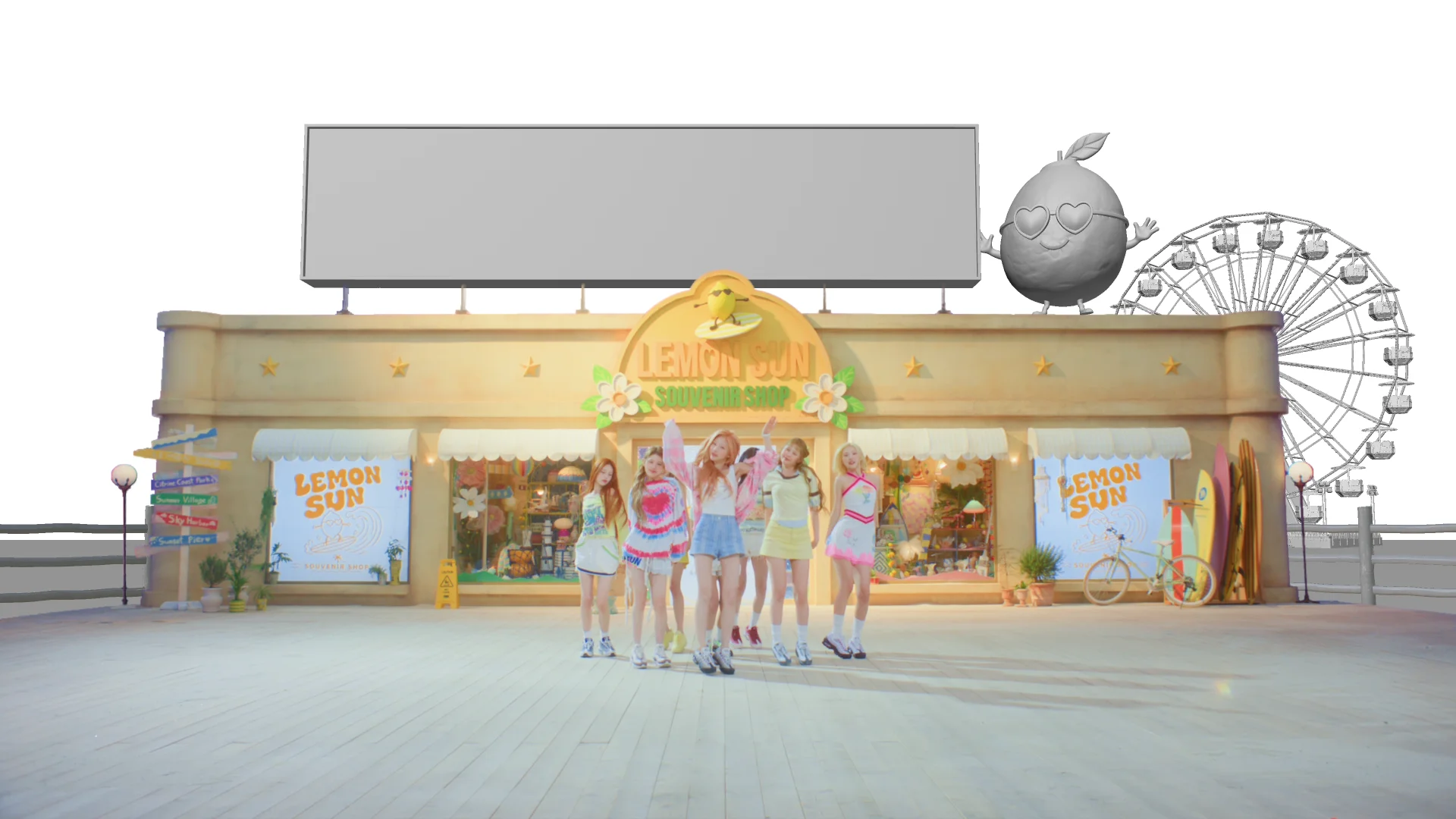 3D elements
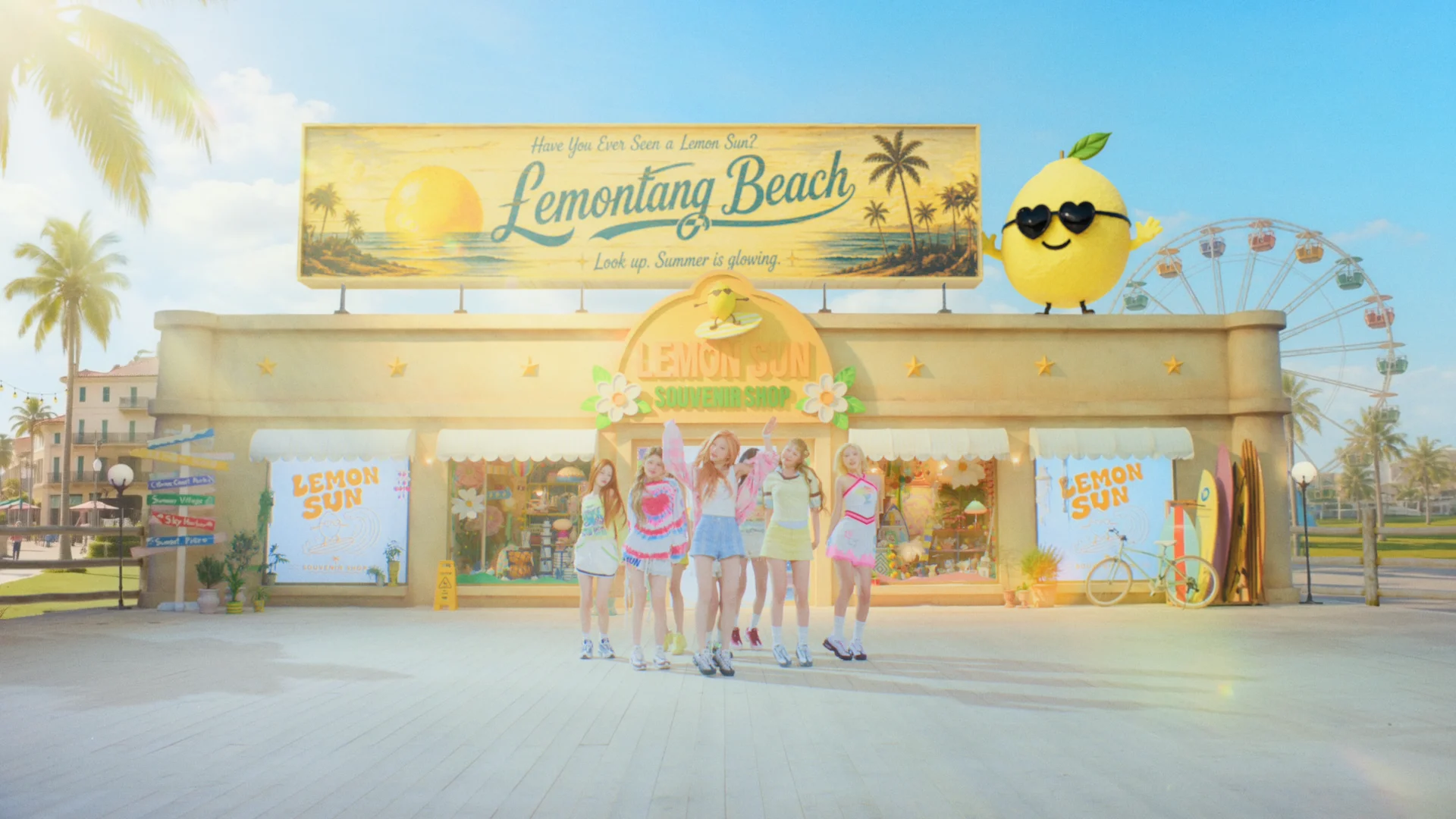 Final composite
Did you develop any techniques you would recommend to other artists using SwitchX and Canvas?
The most important thing I found on this project was to establish the visual baseline for the whole scene rather than concentrating only on making a single shot work well.
When using SwitchX, I also found it more effective to create a good reference and clearly define the elements that needed to remain than to repeatedly adjust the prompt.
In particular, rather than starting with video, I recommend spending time on a single frame and getting it as close as possible to the final image. If you clearly establish the space's structure, lighting, and color at that stage, I found I could get much more consistent results later in SwitchX.
After this project, where would you like to take this kind of work next?
In the future, I’d like to blur the line between shooting and AI more actively. For example, it could be interesting to shoot only a minimal set and then extend it into a completely different world, or take the same performance and place it into different spaces and lighting environments.
In my personal work, I’d also like to create more unrealistic and surreal spaces. I’m interested in putting real people into environments with structures or physical qualities that would be difficult to shoot in reality.
Ultimately, I want to explore less “what can I make with AI?” and more how existing photography, 3D, VFX, and AI can connect into one natural production language. I’d like to continue experimenting with Beeble as a tool within that kind of hybrid production process.
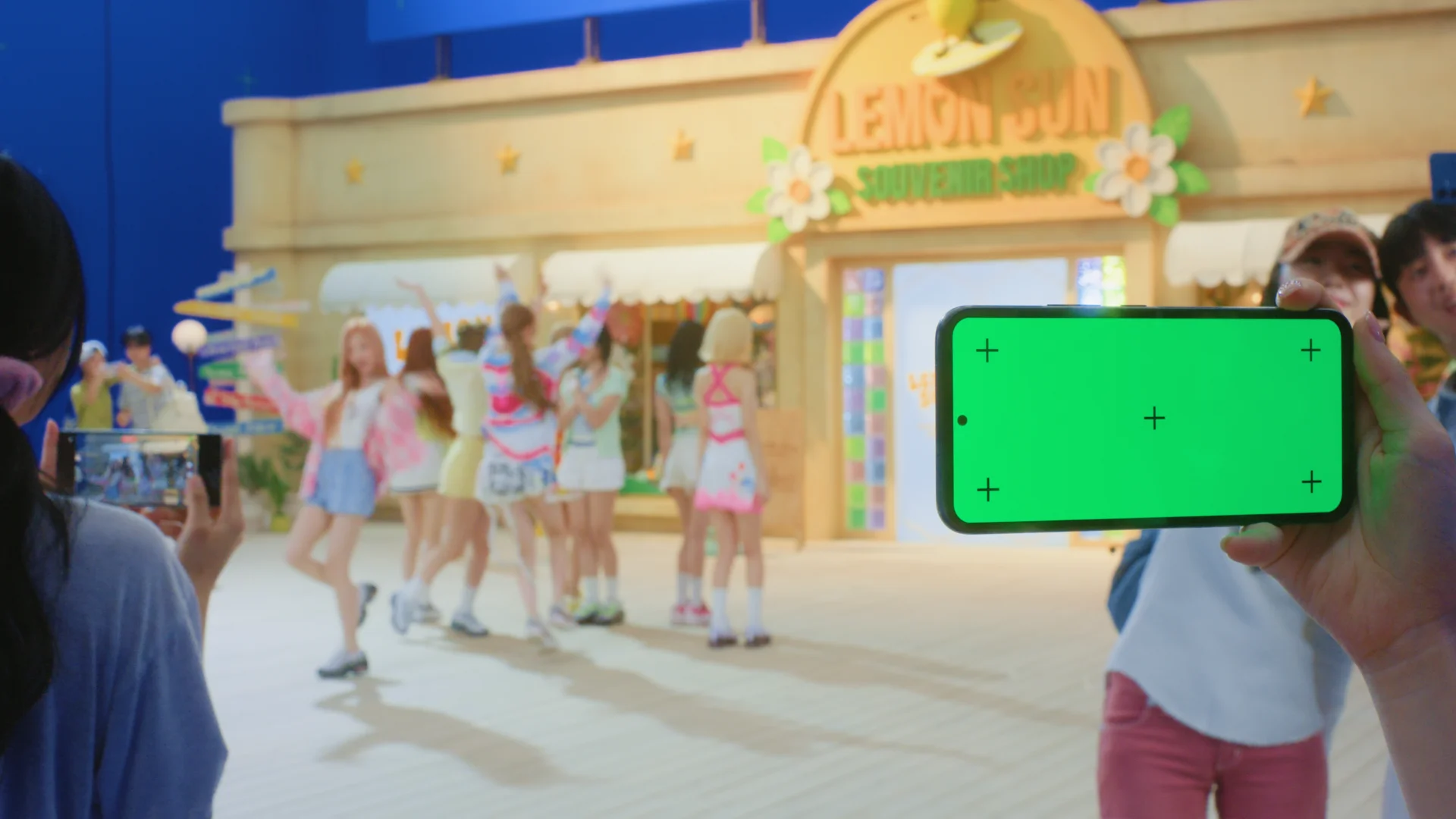 Blue-screen plate
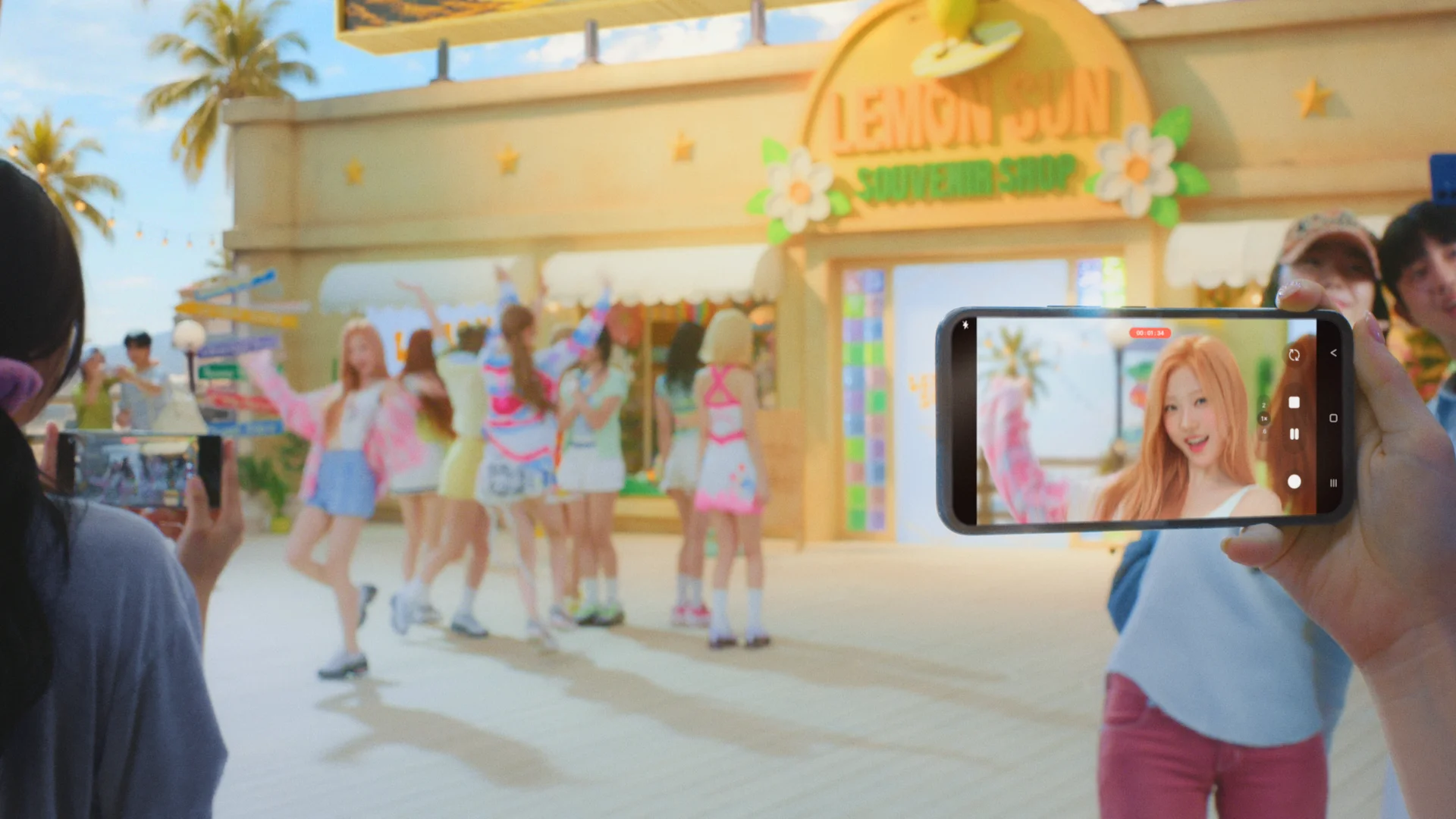 Final shot